
Generating the link in Slack
- Log in to Slack and create a channel where you will receive Shwett alerts:
- Once the channel is created, click Add apps on the left, then App directory on the right:

- In the new window, click Build at the top right:

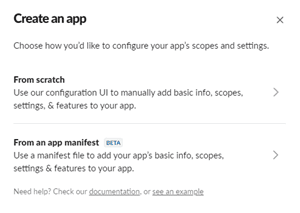
- A pop-up appears; click From scratch:
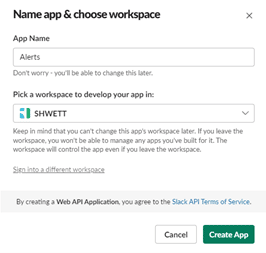
- Enter the app name and choose the workspace:
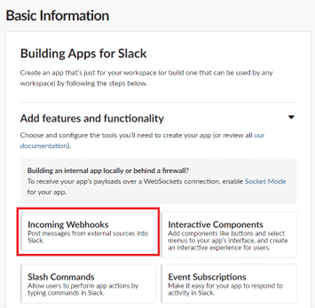
- On the page, choose the Incoming Webhooks feature:
- Activate the webhook with the toggle on the right:
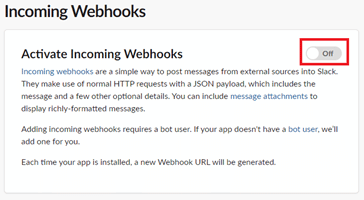
- At the bottom of the page, click Add New Webhook to Workspace:
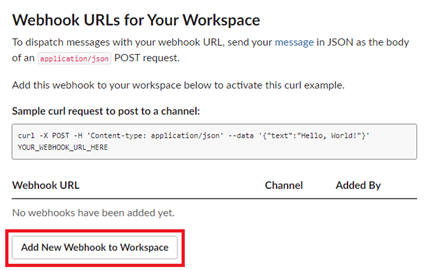
- Then choose the channel created in step 1 and click Allow:
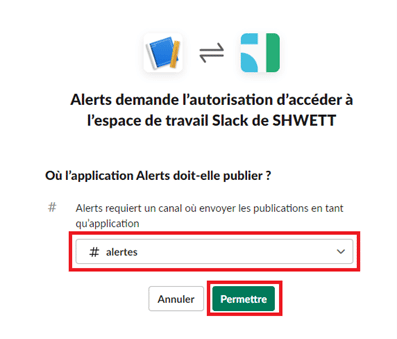
- The link is now available on the page:
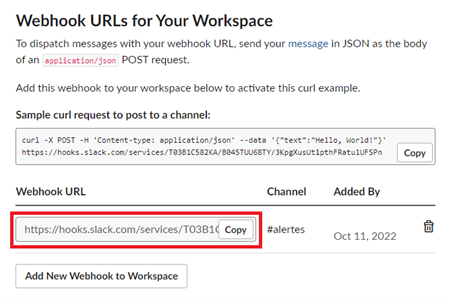
Configuration in the Shwett extranet
- Log in to the Shwett extranet: https://extranet.shwett.com and go to the Notifications page:
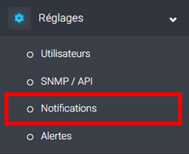
- On the page that opens, click the Add button:

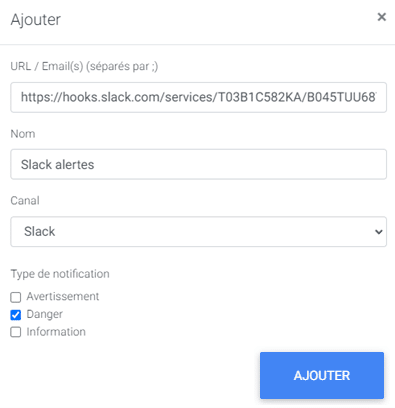
- In the pop-up, paste the link generated in Slack into the URL field, enter a name, choose the channel and select which alert types to receive through it. Finally, click ADD to create the notification:
Leave a Reply